chat /
Personal project · October 2026
A community chat
you run yourself.
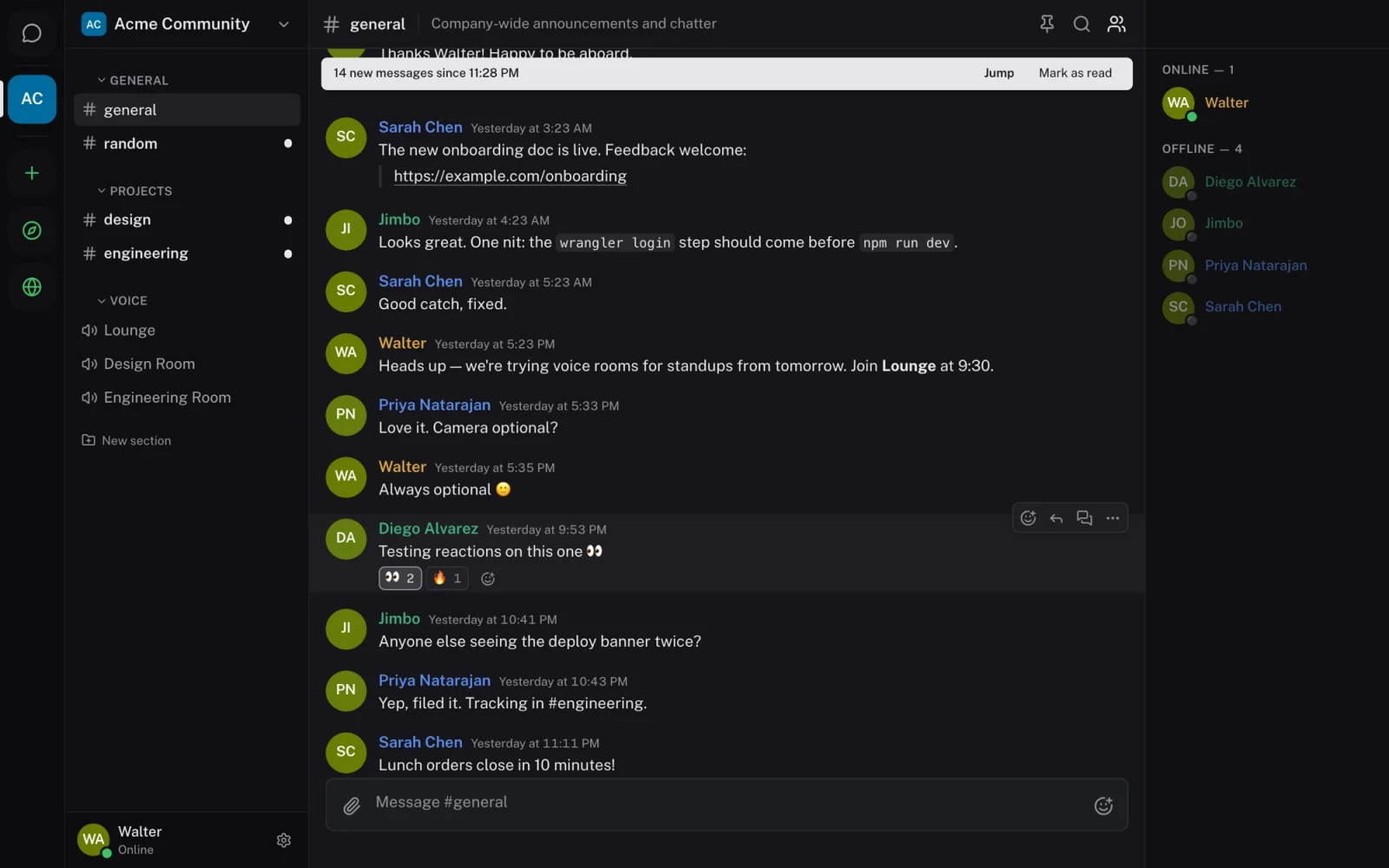
A Discord-style chat server that anyone can deploy to their own Cloudflare account in a few minutes, with web, desktop, iOS and Android apps, and integrations for the tools a community already uses.
- My role
- Product design + engineering
- Built with
- Claude Code
- Platforms
- Web, desktop, iOS, Android
- Status
- Pre-launch, private repository
01 / The idea
What if a community's chat lived in an account it already owns?
Most community chat is rented. The conversations, the member list and the rules all live on someone else's platform. I wanted to see how close a single person could get to Discord's everyday experience while keeping everything in their own Cloudflare account, on the free plan, with nothing to configure.
Three principles shaped the product. It should feel familiar enough that nobody needs teaching. It should belong to whoever runs it. And setting it up should take one button, not a weekend of servers and environment variables.
Familiar
Workspaces, channels, threads, roles and voice rooms work the way people already expect from Discord.
Owned
Messages, files and members live in the owner's Cloudflare account. The software is open source under the AGPL.
Zero-config
A deploy button creates the database, storage and queue, and the server works on whatever URL it lands on.
02 / Setting up a server
The first person to arrive becomes the owner, so it had better be you.
A zero-config server has an awkward first moment: the first account created owns everything, and the URL is public from the second it deploys. I designed setup around that moment. The deploy button asks for one thing, a long random phrase, and the server then only accepts an owner account from the matching claim link. New servers start invite-only, so a stranger who finds the URL can't sign up.
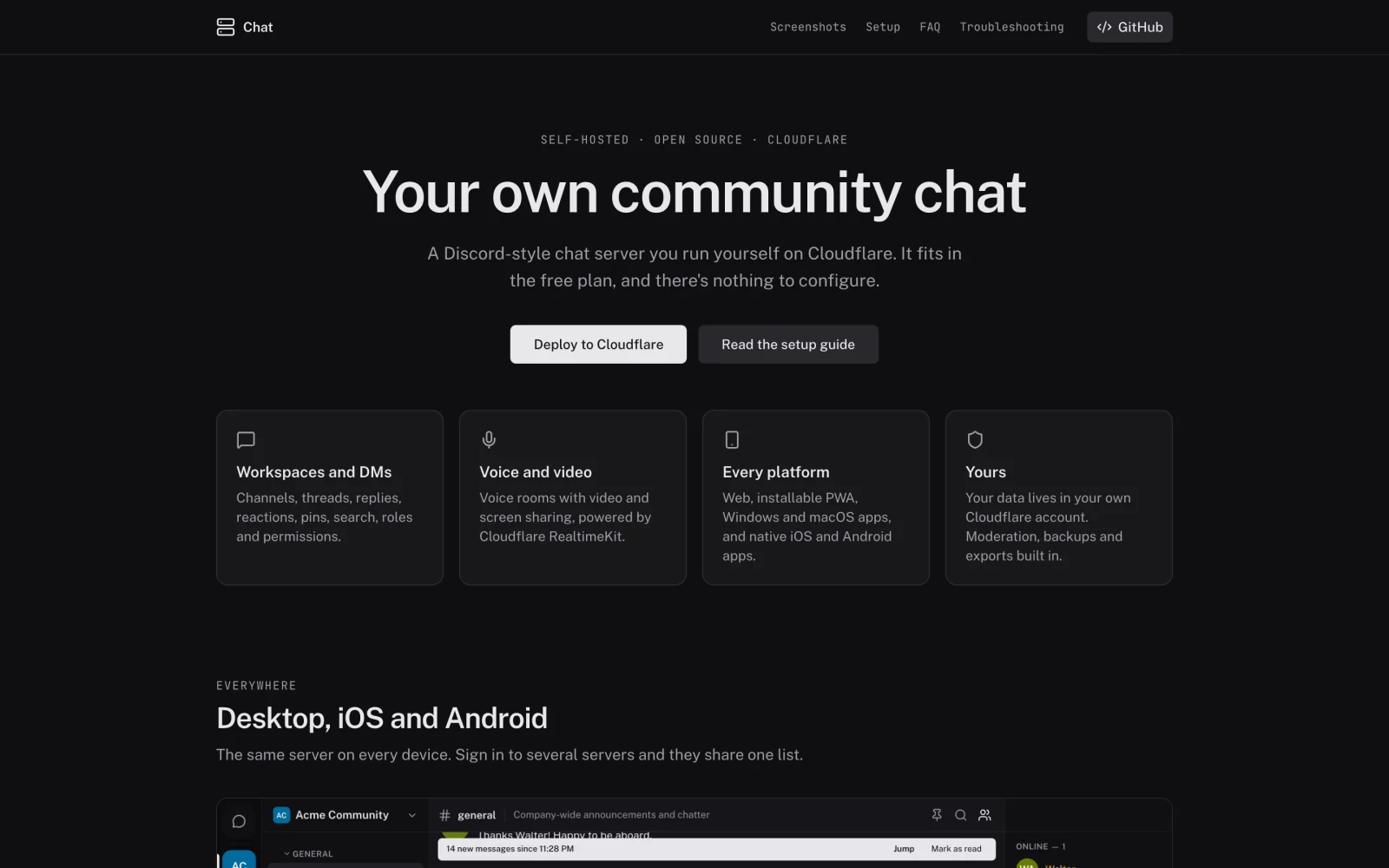
The owner's first sign-in is a three-step setup: create the account, name the workspace, invite people. From then on, Server settings hold the decisions that belong to one person: who can create accounts and workspaces, the server's name and icon, and its privacy policy and terms, which start from a template describing what the software stores.
Recovery needed the same care. Email needs Cloudflare's paid plan, so a free server can't send password resets. Instead, the owner can make a one-time reset link for anyone and pass it on privately, and a command-line recovery covers the owner's own account. Backups use D1's built-in time travel, plus an export to a file.
03 / The conversation
Nothing you type is lost, even when the connection is.
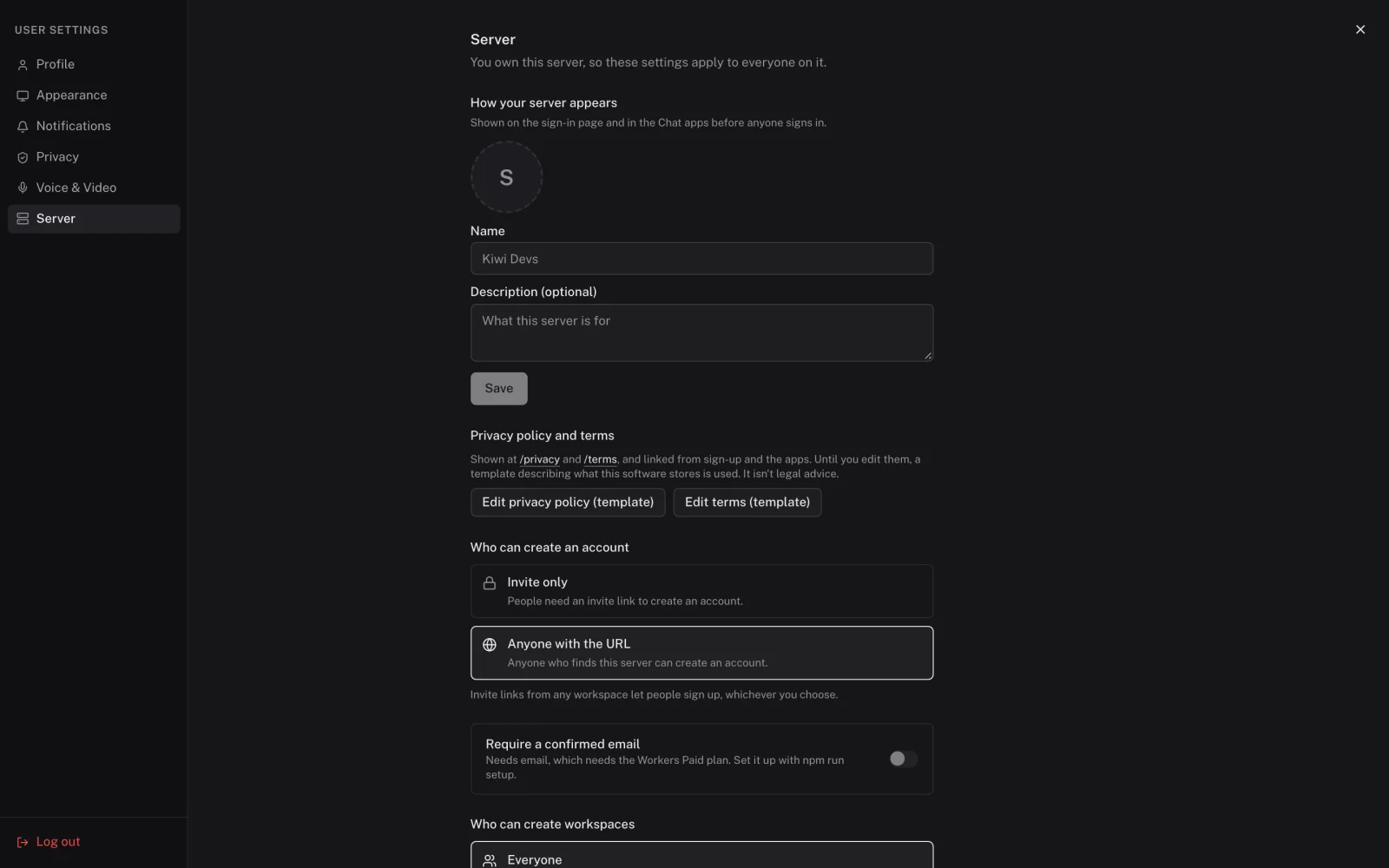
Chat only feels trustworthy when a message you send is either delivered or clearly not. Each workspace has one coordinator, a Durable Object, that numbers every message in its channel. The app shows your message straight away as sending, and a retry can't post it twice. After a dropped connection, the app asks for everything since the last number it saw, so gaps fill in rather than silently disappearing.
Around that core are the details people notice when they're missing. A "New" line marks where you stopped reading. Mentions and replies are highlighted and notify you. Threads keep side conversations out of busy channels, and search covers every channel you're allowed to see.
Moderation for members
Members report messages into a queue for moderators. Workspaces can set slow mode and word filters, and anyone can block someone.
Permissions in one place
Roles and channel overrides are resolved by the same code for every request and socket event. The app uses it only to hide what you can't do.
04 / Every device
One server on every device, and several servers in one list.
The web app installs as an app, and there are desktop apps for Windows and macOS. Native iOS and Android apps borrow the layout of Discord mobile, because that layout is what people's thumbs already know.
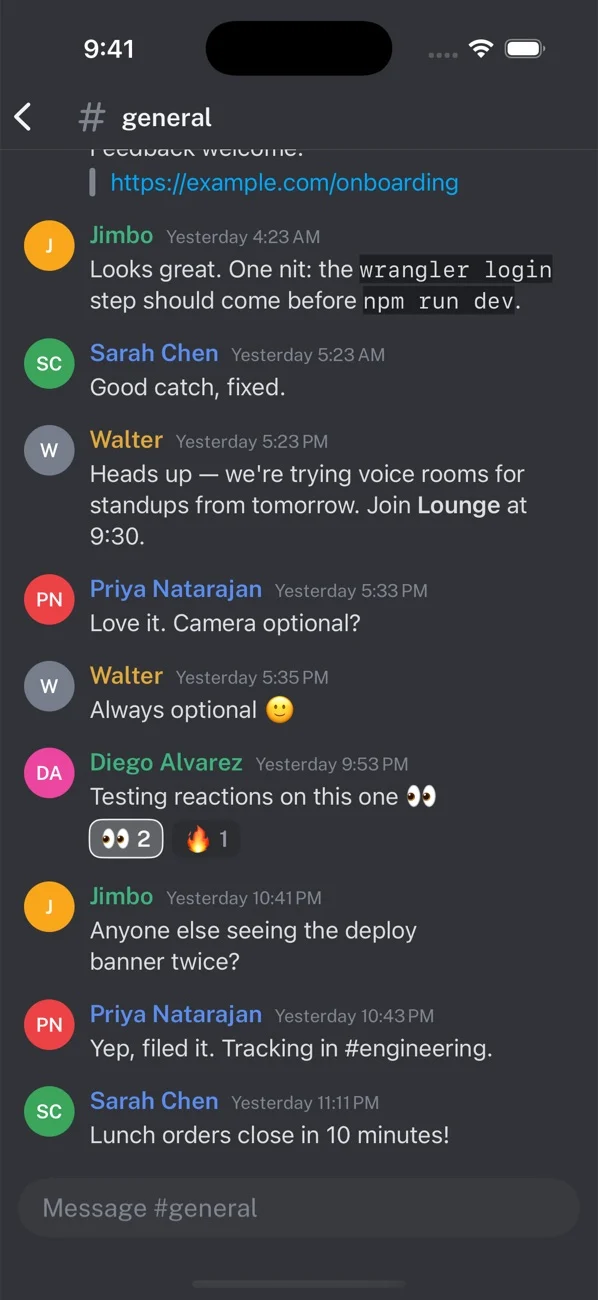
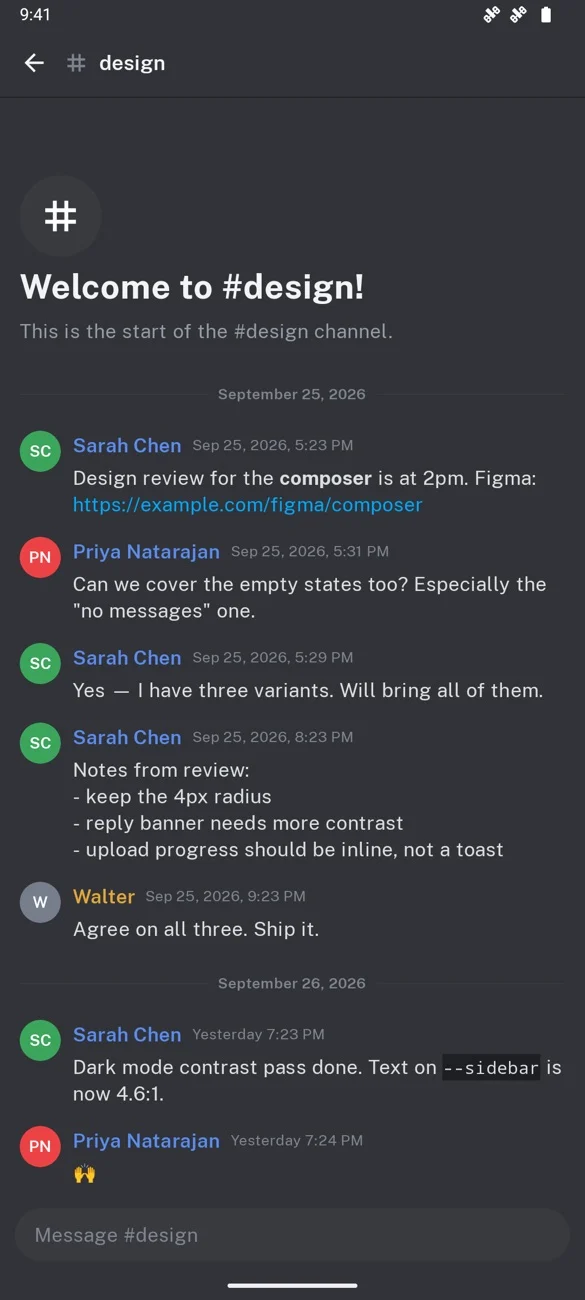
The iOS and Android apps with sample data, captured before the move to Public Sans.
Self-hosting creates a problem centralised apps don't have: someone in three communities has three servers. Every app can sign in to several at once and show all their workspaces in one rail. A server shows another's workspaces through a restricted session that can read the list and unread counts and nothing else, so running a server never means reading someone else's messages. Phone notifications go through a small relay that never sees message text.
05 / Integrations
Letting other software in without asking anyone to write code.
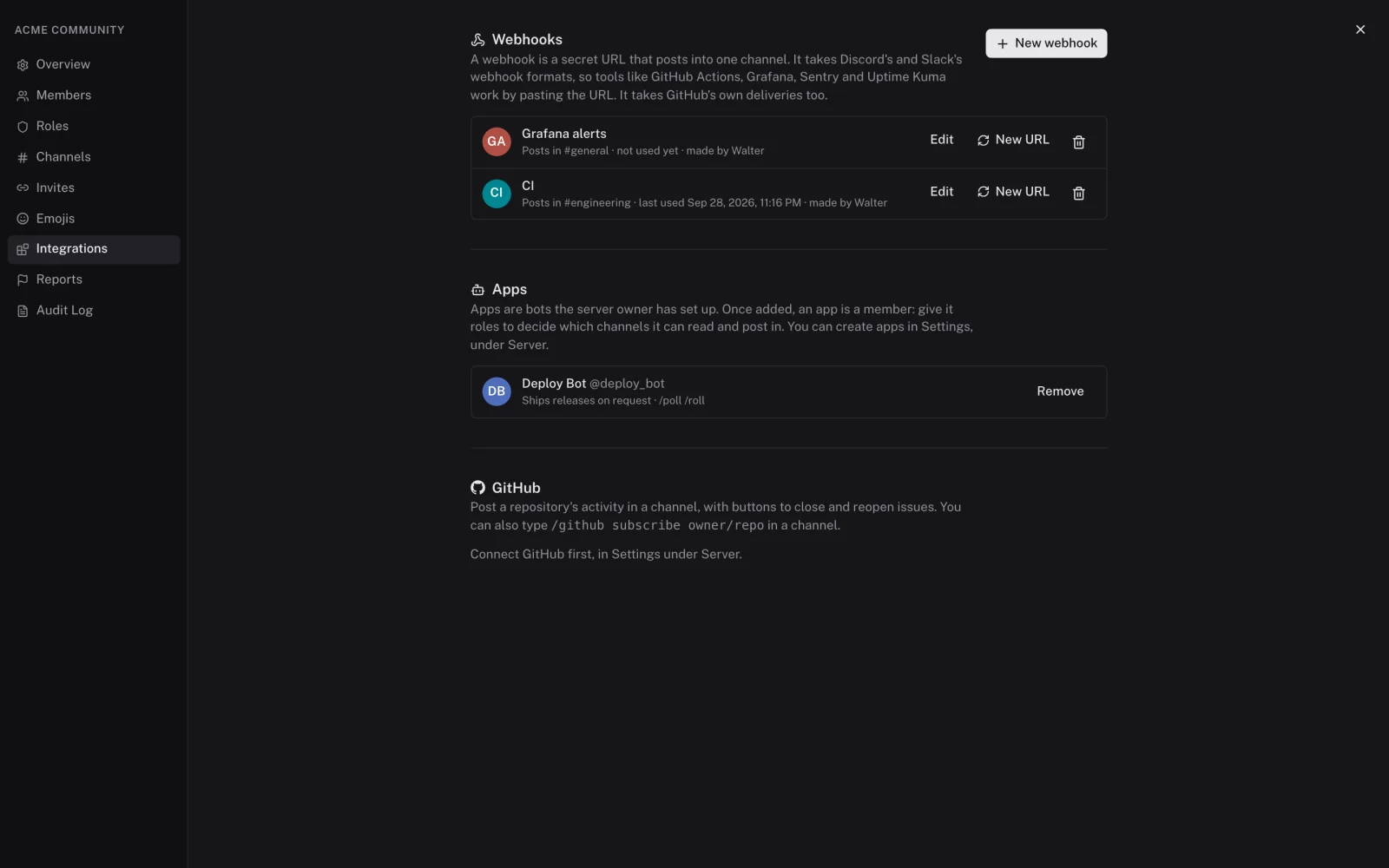
A community's chat is also where deploys, alerts and pull requests show up. Rather than design a new format that no tool supports, a webhook's URL speaks Discord's and Slack's webhook formats, and GitHub's own deliveries. Monitoring and CI tools that already post to Discord work by pasting the URL.
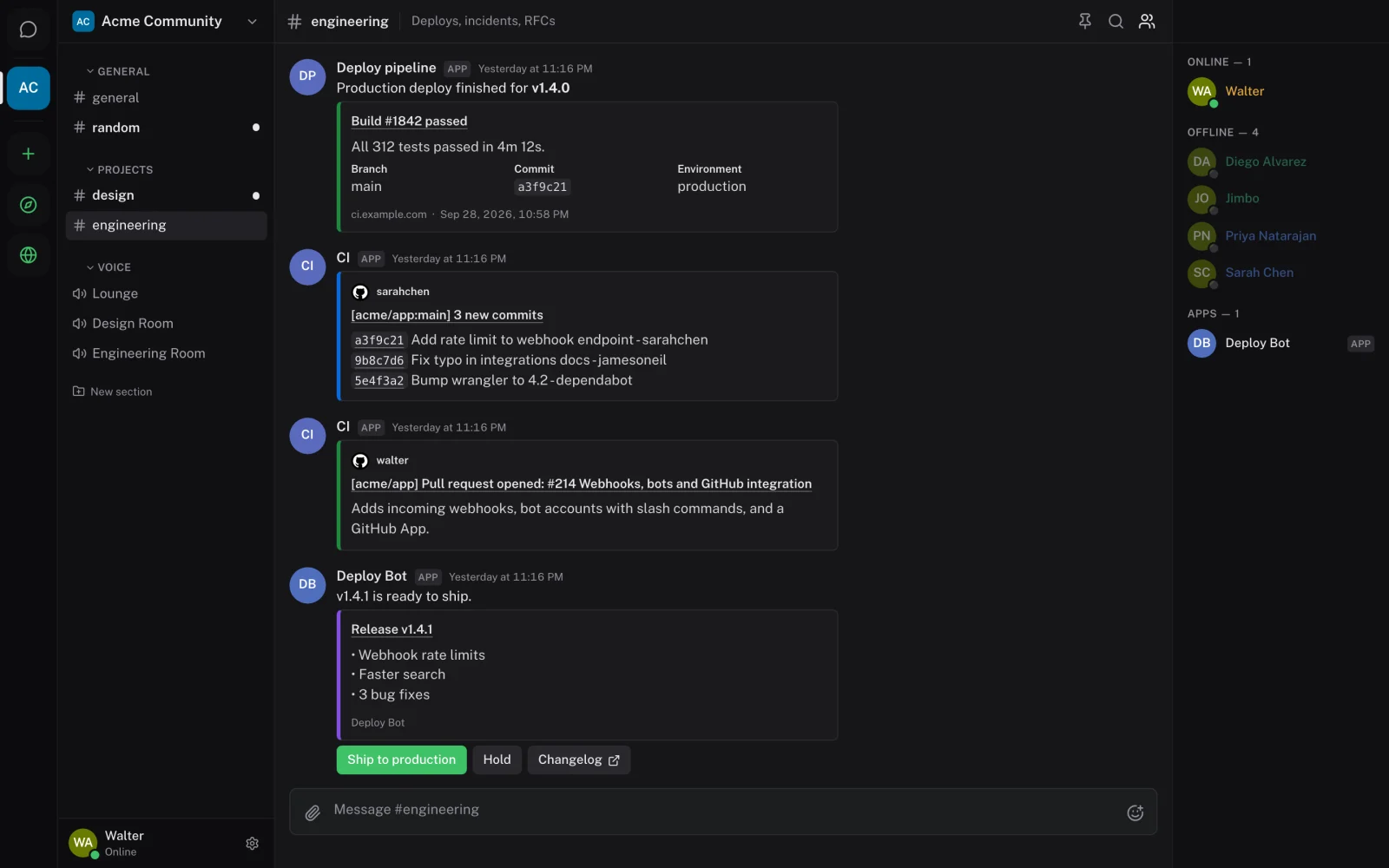
Software shouldn't pass for a person, so every message from a webhook, bot or integration carries an App badge, even when a tool picks its own name and avatar. Bots are members like anyone else: the owner creates them, workspace admins add them, and ordinary roles decide which channels they can read. The dialog that adds one says plainly that it can read those channels.
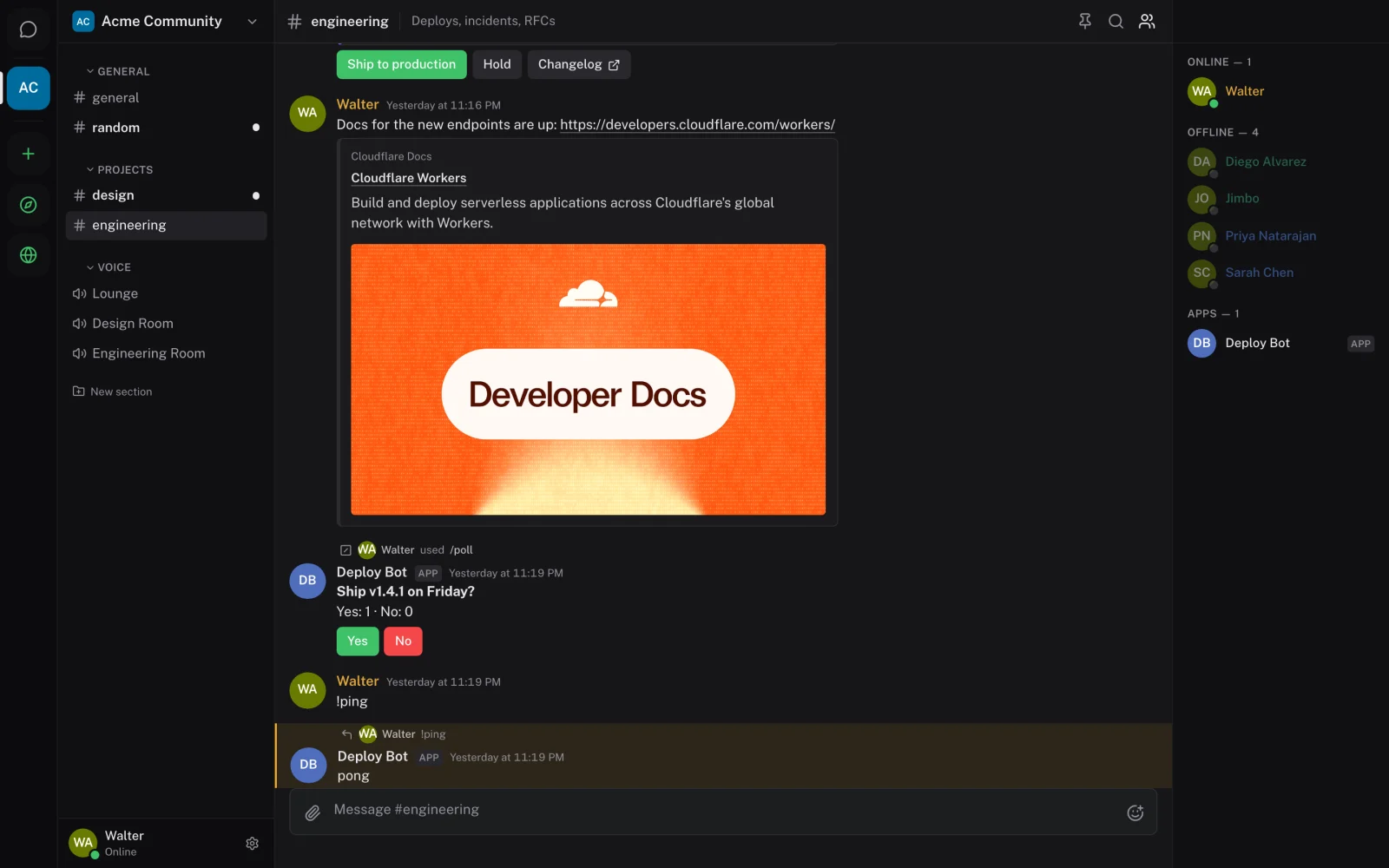
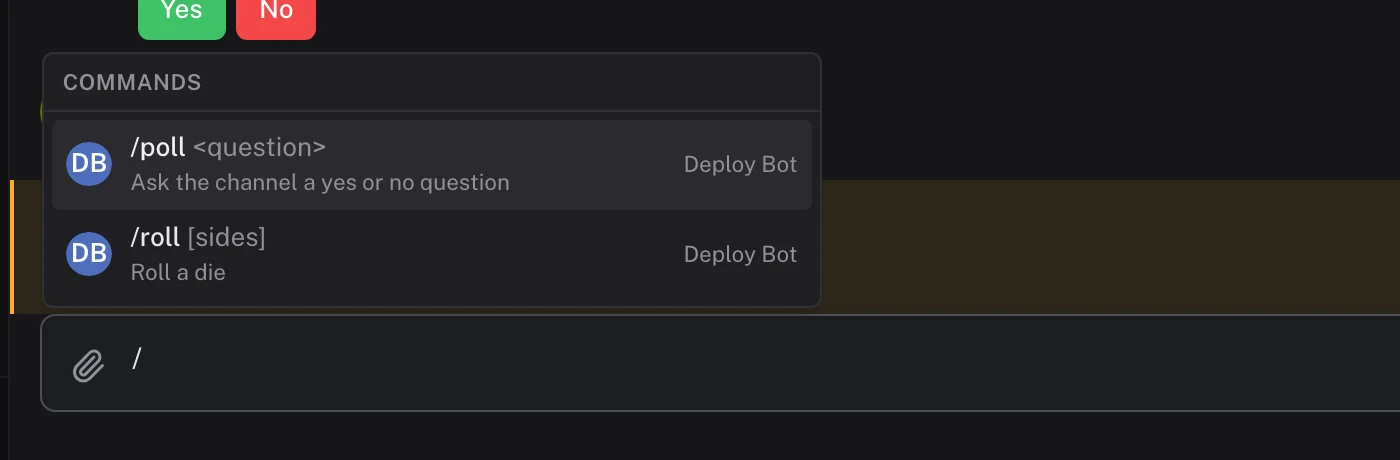
Slash commands and buttons borrow Discord's model because it holds up. A bot can answer in the channel, headed "Walter used /poll", or privately to the person who asked. The composer lists commands as you type a slash. For GitHub, the owner creates the server's own GitHub App in one step, confirmed on GitHub. Channels then follow repositories, and "Close issue" buttons act as whoever presses them, through their own GitHub account.
Two privacy decisions sit underneath. Link previews are fetched once by the server, so readers never contact the linked site. Images in cards load through a signed proxy on the server for the same reason.
Integrations are built and tested on a branch, with automated tests for webhooks, bots, commands, GitHub and previews, and a local end-to-end run with the example app. They haven't been merged or used with a live GitHub account yet.