Personal project · Case studySeptember 2026
Minutes
Private meeting notes that never leave your laptop.
Minutes is a desktop app that records a meeting, transcribes it, works out who said what and drafts the notes: summary, decisions, open questions and action items. All of it runs on the computer in front of you. There are no cloud services, no paid AI APIs and no accounts. I designed and built it as a native Tauri app for macOS and Windows.
Visit minutes.walt.online- cloud services in the pipeline
- 0
- faster than real-time transcription
- 15×
- capability tiers, chosen by memory budget
- 4
- Rust tests, plus real-model checks
- 228
Transcription speed is Parakeet’s measured real-time factor of 0.066 on an M4 Max. Test counts are from cargo test on main; nine further hardware and model tests run on demand. Windows builds compile but have not yet been tested on hardware.
Notes without the cloud
AI note-takers are useful, but most send the recording of every meeting to someone else’s servers, and many join the call as a bot. That rules them out for a lot of conversations: customer calls, one-on-ones, anything under NDA. Open speech and language models are now good enough to run on a laptop. I wanted to find out whether a fully local tool could feel as simple as a cloud one.
I set some constraints at the start. Local-first by default. No paid AI. Nothing is written to another service until the user has reviewed it. Secrets stay in the OS keychain. And the app has to respect the machine it runs on, because recording must never fail just because a language model is hungry for memory.
Start recording in one step
The first screen has one job. Name the meeting if you like, confirm the microphone and choose whether to capture the call audio, then press record (or ⇧⌘R from anywhere). Choosing “Off” for meeting audio covers in-person meetings. The privacy line and the consent reminder sit next to the button, where the decision is made.
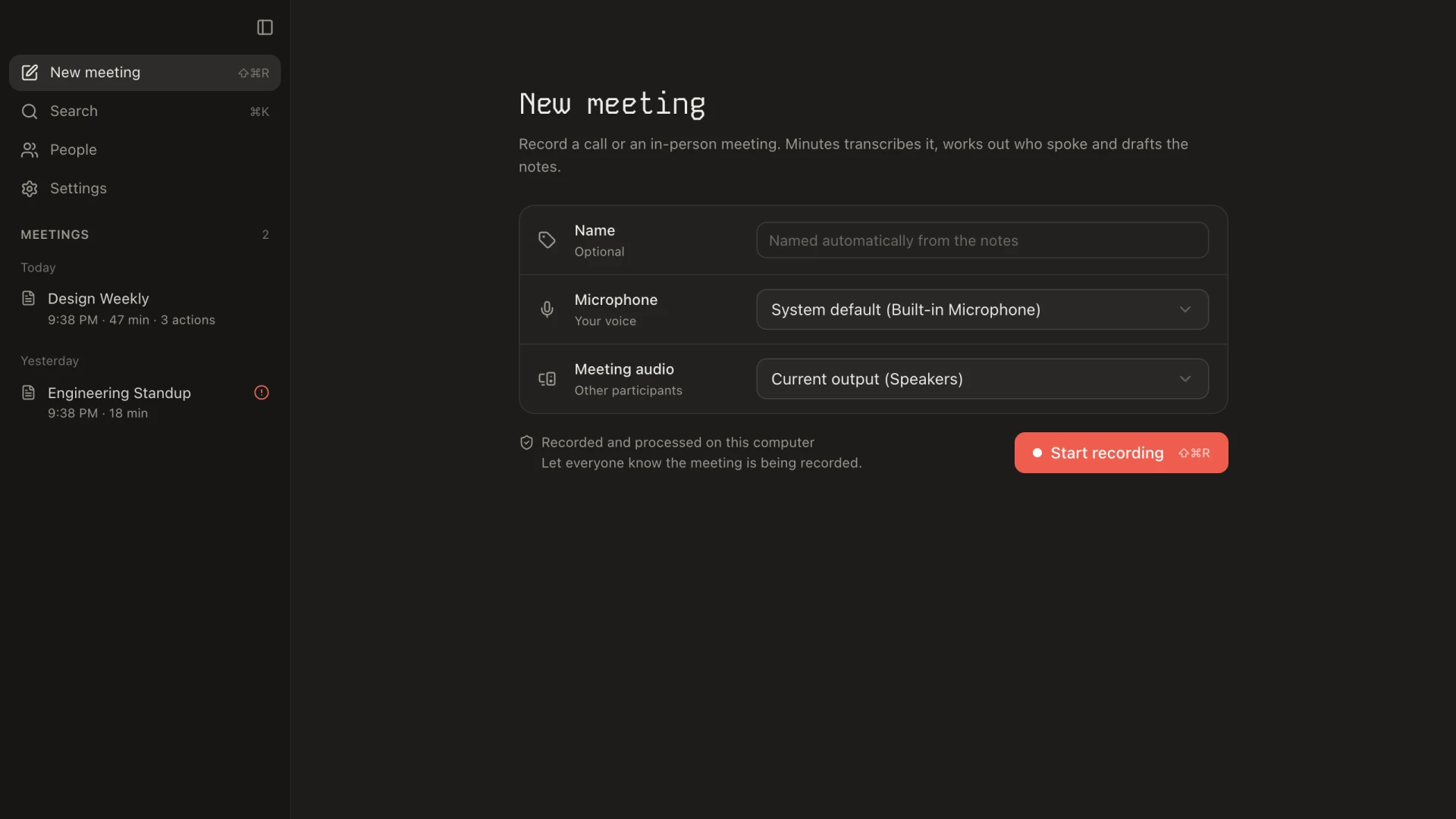
This page took several rounds. An early version borrowed heavily from chat-style AI tools and felt like the wrong product. The one part worth keeping was the device picker. So I rebuilt the page around it, moved the meeting history into a proper list in the sidebar, and added ⌘K search in the navigation. Kode Mono as the display face gives it character without a serif’s formality.
Two tracks, not one mix
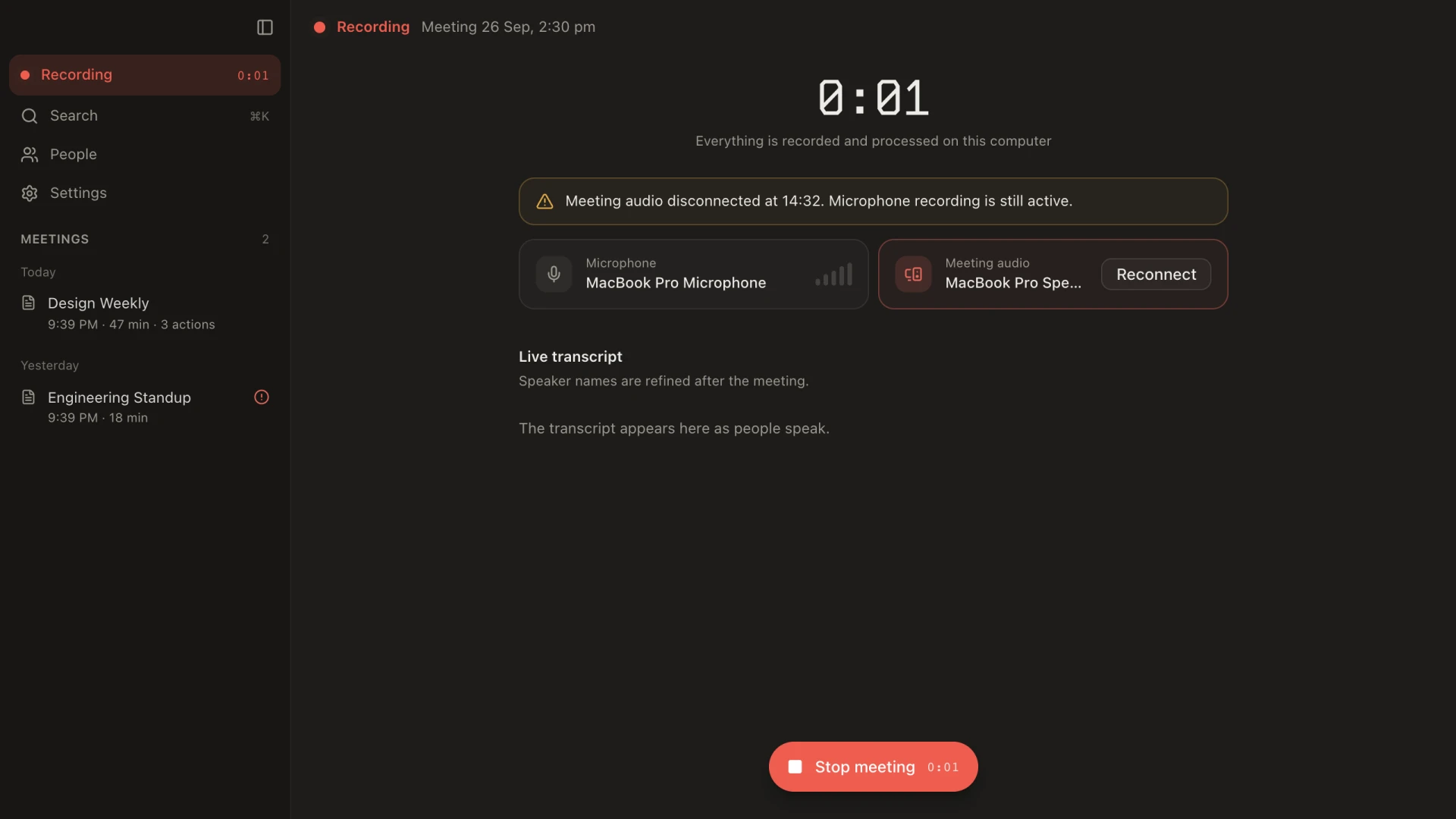
Minutes captures your microphone and the computer’s audio output as separate tracks. On macOS this uses the system audio tap, and on Windows WASAPI loopback, so there’s no virtual cable and no bot in the call. Separate tracks make “who is me” trivial and keep the transcript of remote participants cleaner. The WAV header is rewritten every two seconds, so a crash loses at most two seconds of audio. The next launch offers to recover the meeting.
Who said what
The transcript comes from NVIDIA Parakeet TDT v3, running through sherpa-onnx, as you talk. When the meeting ends, any audio the live pass missed is transcribed again from the saved tracks. Nemotron 3 Diarization then separates the speakers on the meeting-audio track. It runs in a pinned, source-built NeMo-Speech.cpp runtime on Metal. My first version used a clustering pipeline whose threshold was a knife-edge: move it slightly and two people merged into one. The Nemotron model has no threshold to tune and handles overlapping speech.
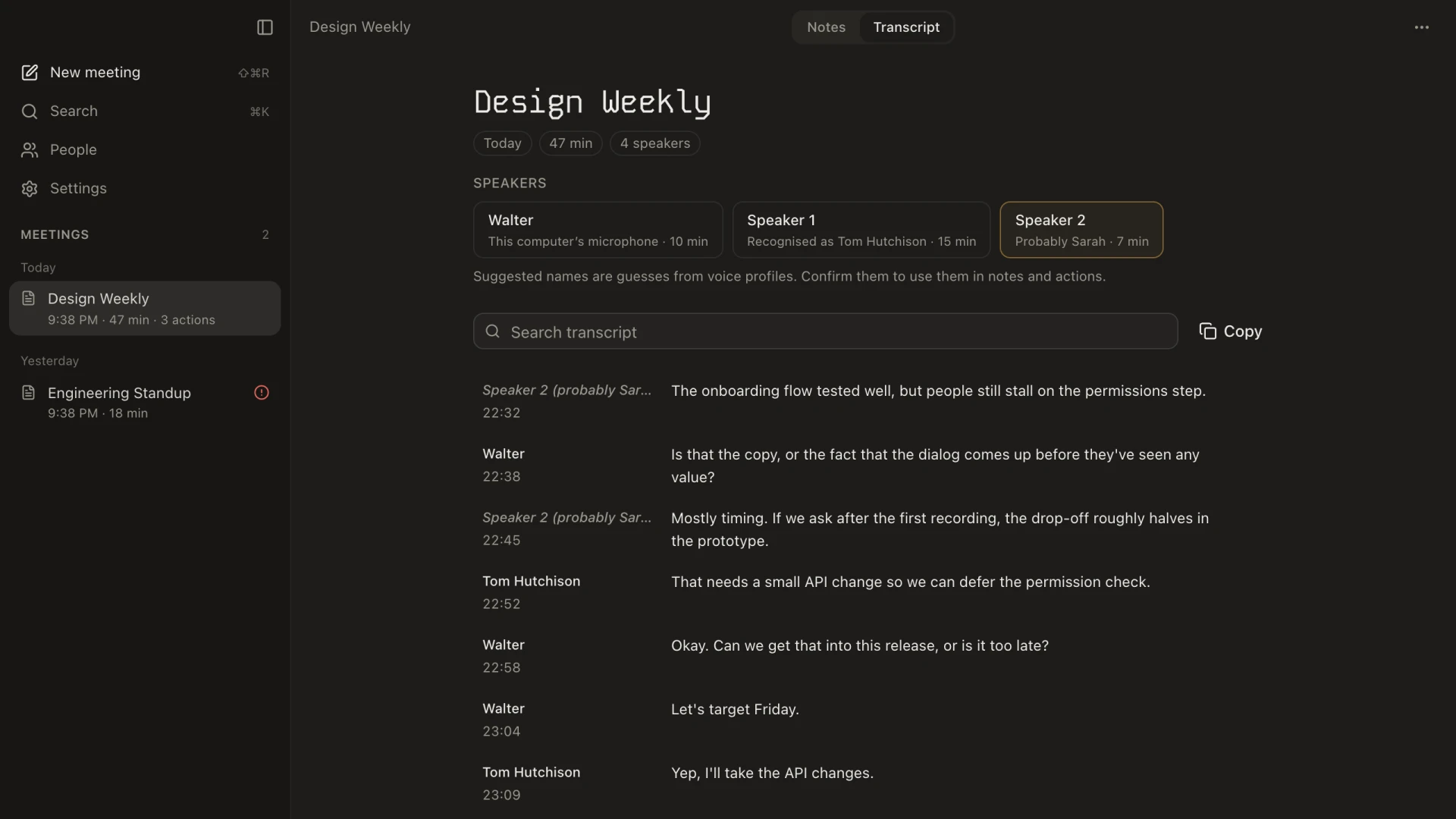
Speaker names come from voice profiles. Enrol a colleague once and later meetings recognise them. A weaker match is shown as “probably Sarah” in italics, and it only counts once you confirm it, so a guess never silently becomes an owner in the notes.
Notes you can check
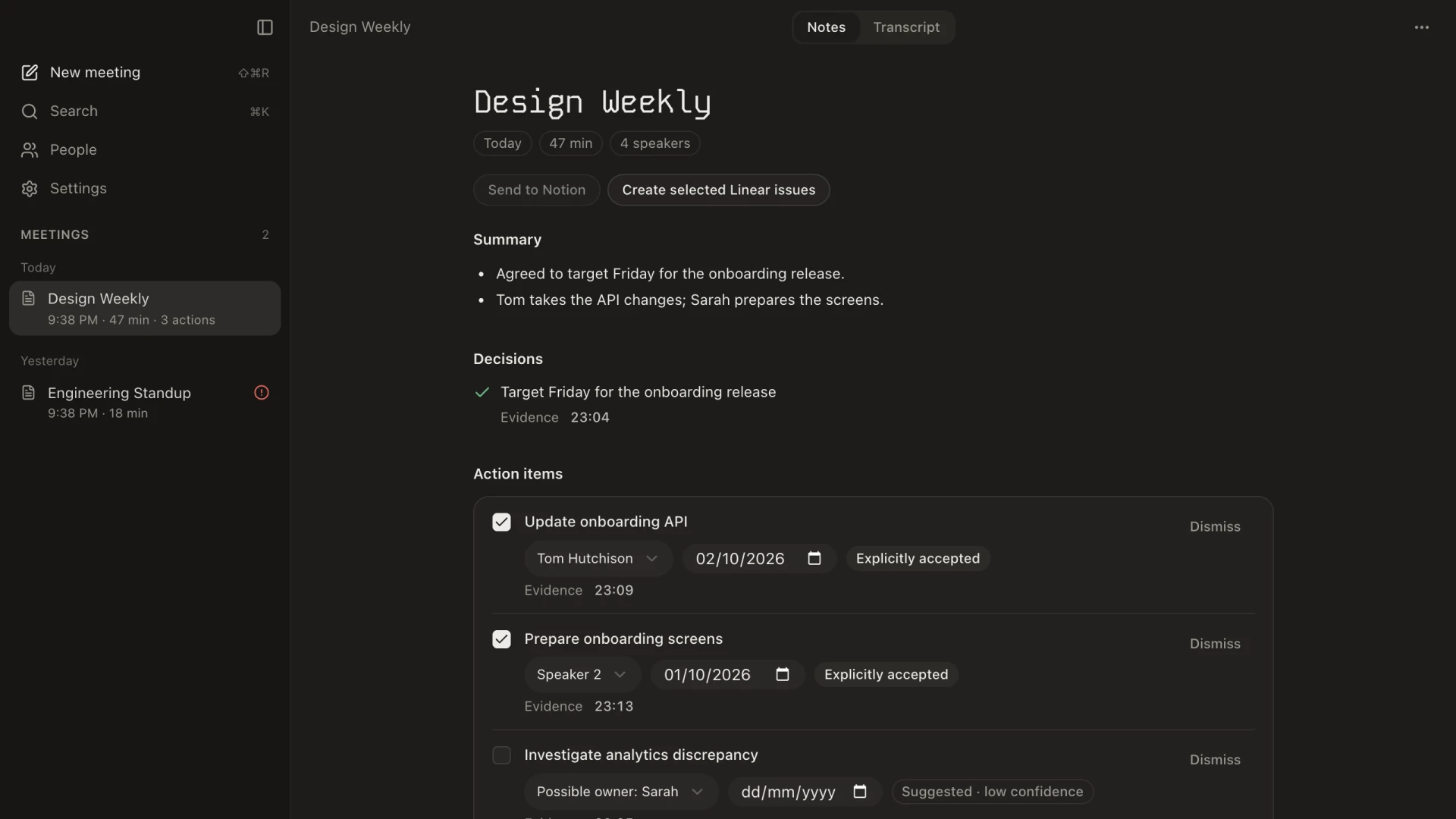
A local Nemotron 3 Nano model, served by llama.cpp, writes the notes against a strict JSON schema. Every decision and action item must quote its evidence from the transcript. If the output fails validation, the app asks once for a correction and otherwise reports that the notes are unavailable, rather than showing something invented.
Action items record how they were assigned. “I’ll take the API changes” is an explicit acceptance. “Maybe Sarah can look at it” is only a suggestion, left unticked with low confidence. Due dates like “Friday” are resolved in code against the meeting date, not by the model. I made that change after an early run gave a task a due date in the year 5000.
Tuned to the machine you have
Local AI lives or dies by memory. On first launch Minutes measures the machine and benchmarks transcription and the language model. It then works out a memory budget, not just total RAM, and picks one of four tiers. An 8 GB laptop still records and transcribes. A 48 GB machine runs the 30B model. Before each analysis the plan is checked again against free memory, and the app falls back to a smaller context or model and says so.
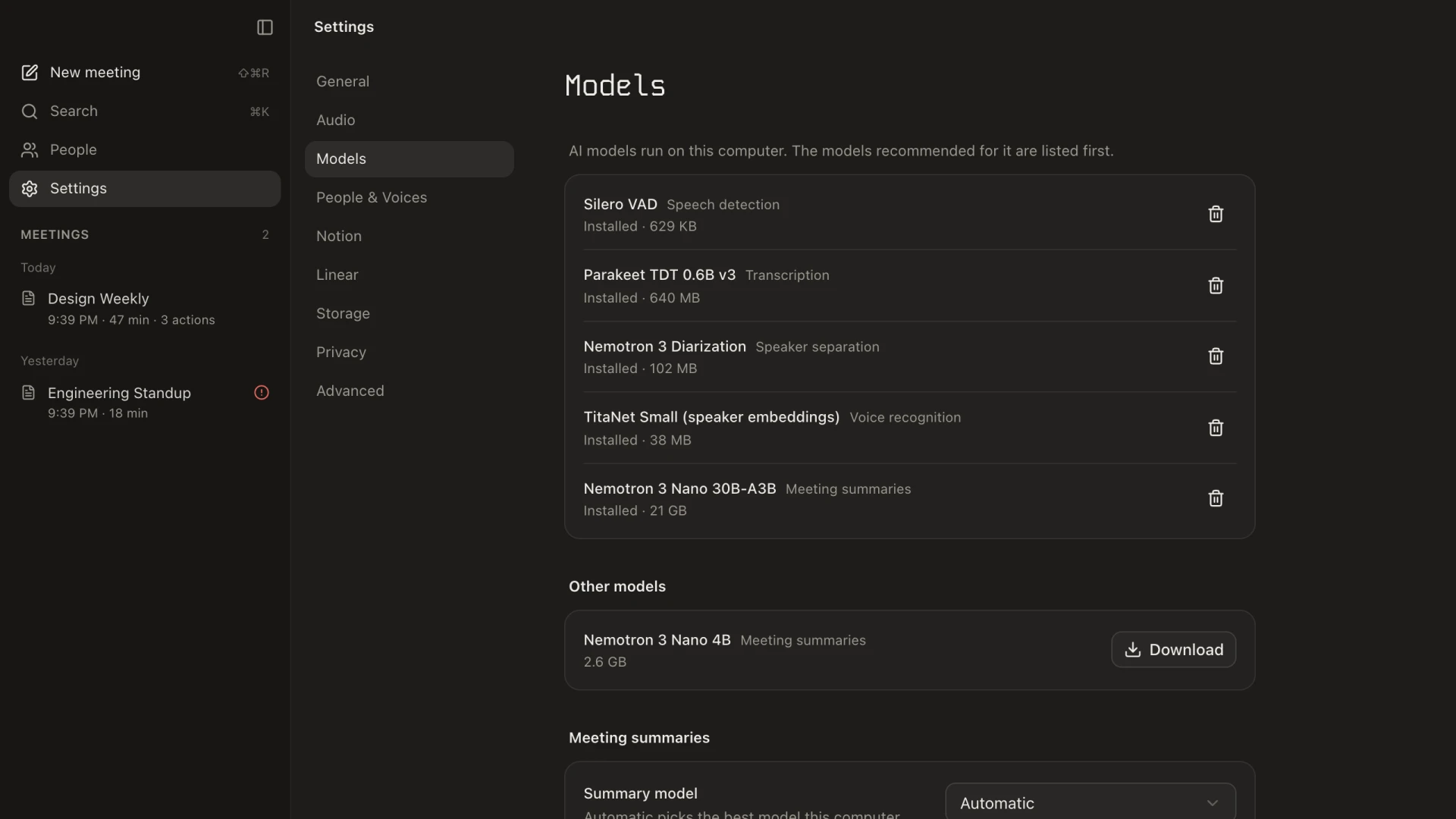
Downloading a 22 GB model over a flaky connection needed its own work. CDN connections stalled and the download failed with an unhelpful decoding error. Downloads now use HTTP/1.1, retry while they keep making progress, and carry the running hash across resumes. The UI shows “Verifying” instead of looking paused while the hash is checked.
Find it later
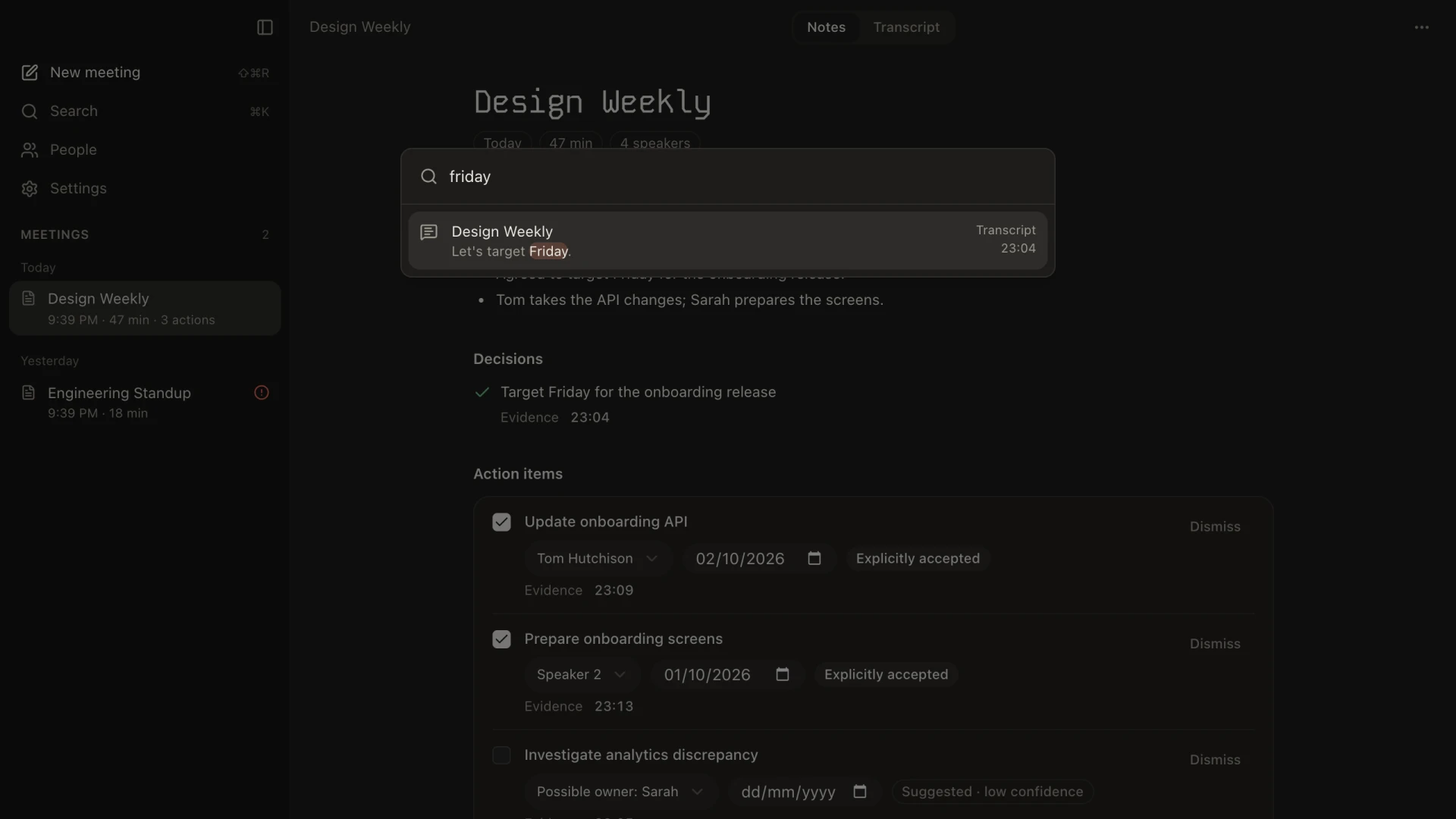
⌘K searches meeting titles, notes and every transcript line. A transcript match opens the meeting at that line.
Nothing leaves without a review
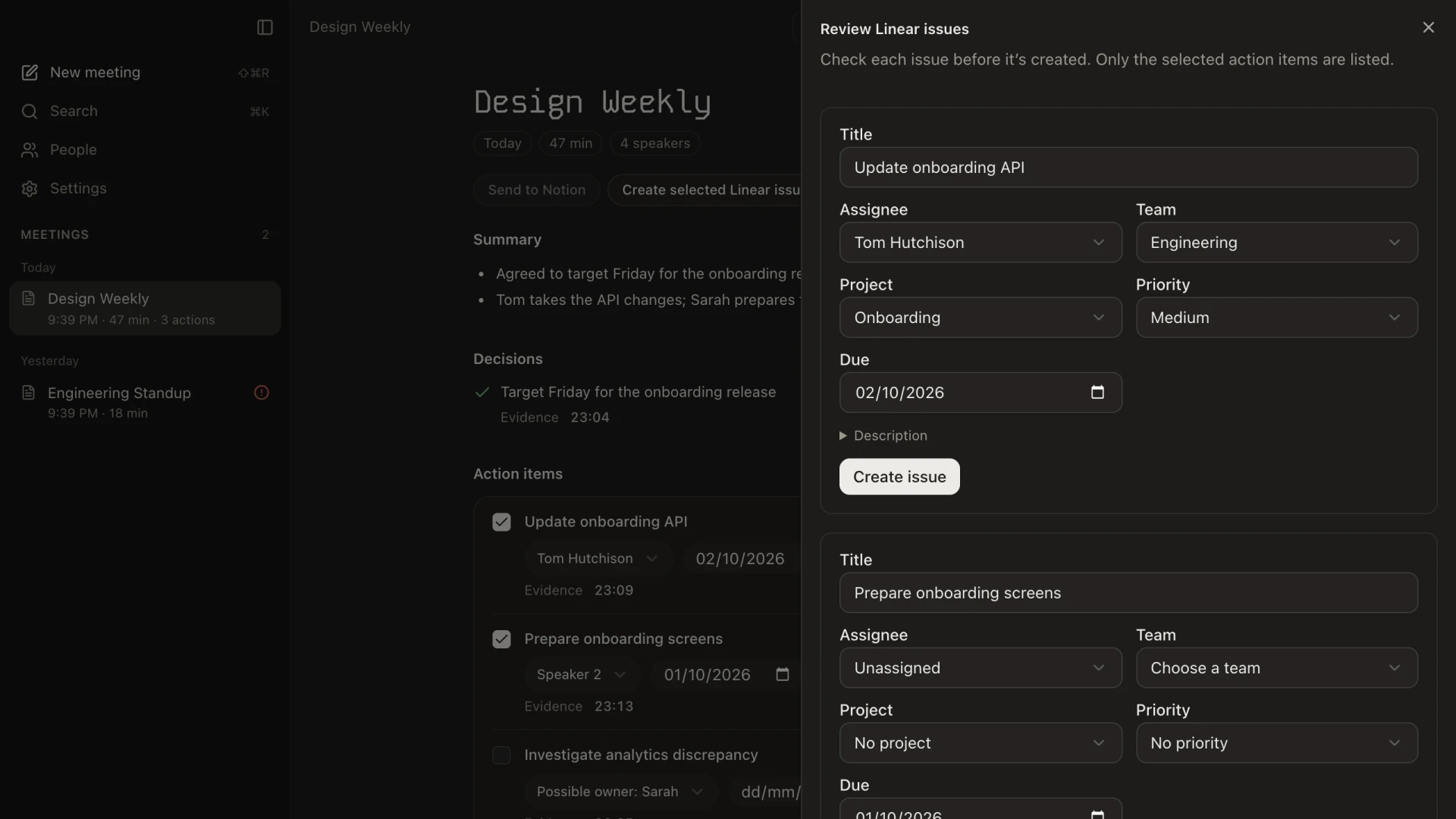
Notion and Linear are optional. Before anything is sent, each Linear issue opens as a draft. You can change its assignee, team, project, priority and due date, and a note flags any speaker who isn’t linked to a person yet. Issue creation is idempotent, so retrying after a dropped connection never creates duplicates. Tokens live in the OS keychain, never in the database.